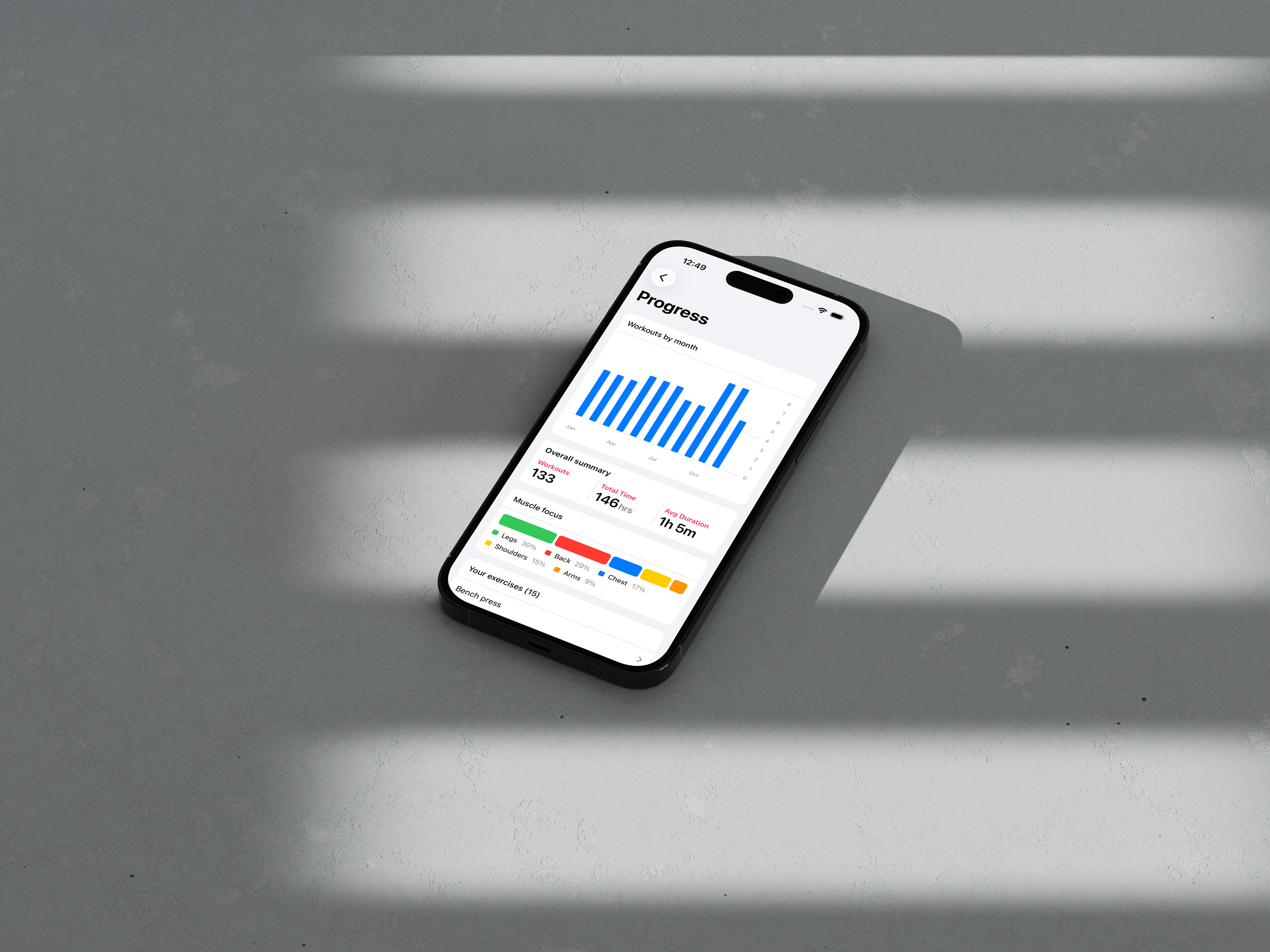
Light and Dark Modes: Train in Comfort
Your gym might have harsh fluorescent lights or be dimly lit at 5 AM. Either way, Reps has you covered with both light and dark modes that adapt to any environment.
Automatic Theme Switching
Reps respects your phone's system appearance settings by default. If you have Dark Mode enabled on your device, Reps automatically displays in dark mode. Switch to Light Mode in your system settings, and Reps follows along seamlessly.
Override in Settings
You can either use the phone's system theme or override it in-app in the settings screen (available via the app home screen). This gives you complete control over how Reps looks, regardless of your system preferences.
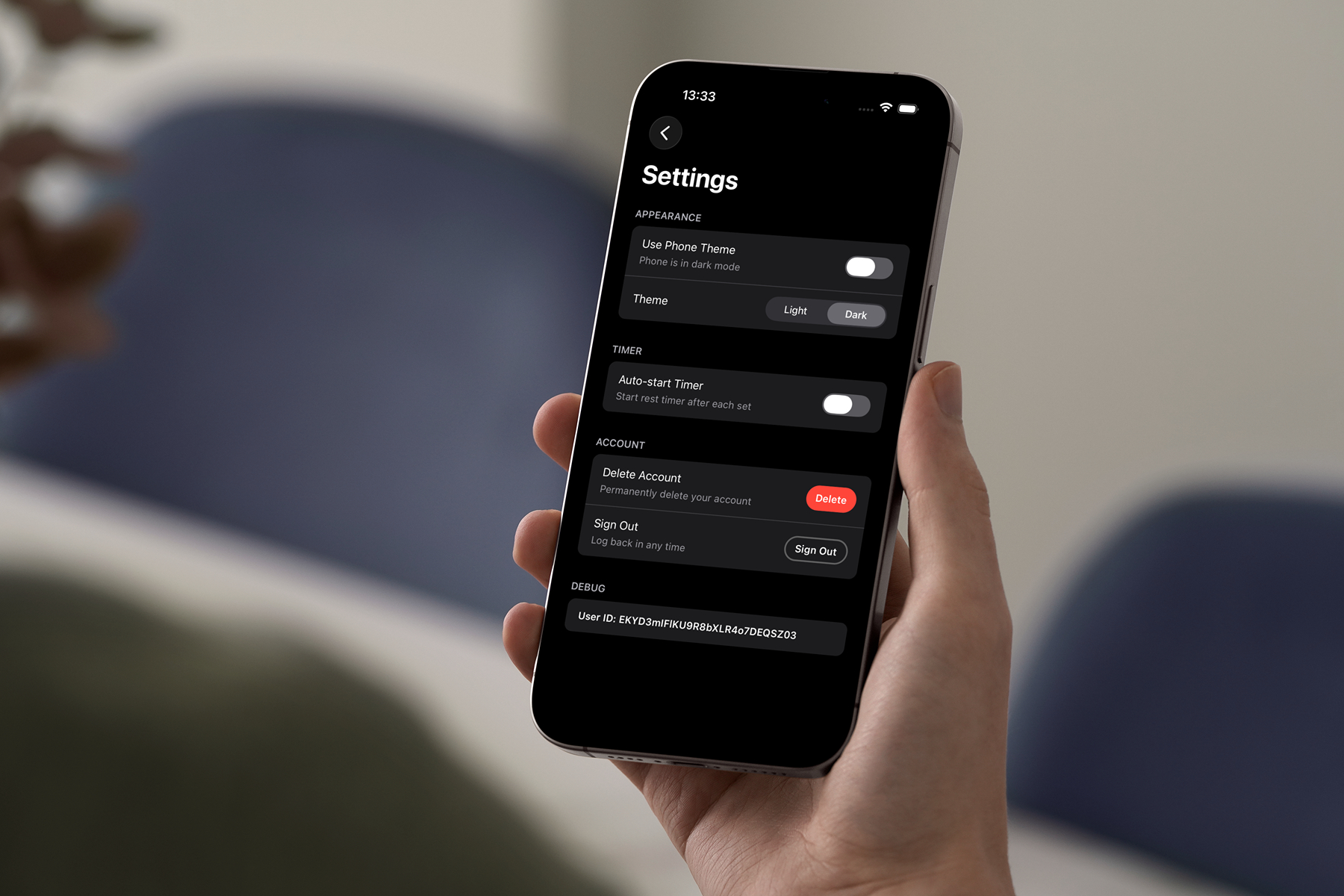
Want dark mode in the gym even though your phone is in light mode during the day? No problem. Prefer light mode for workouts while keeping your phone in dark mode? Easy. Reps adapts to your preference.
Light Mode: Clear and Focused
Light mode provides a clean, bright interface that's perfect for well-lit gyms or daytime training. The high-contrast design ensures every detail is easy to read, even under bright overhead lights.
Text is crisp, numbers are clear, and your workout data stands out exactly when you need it.
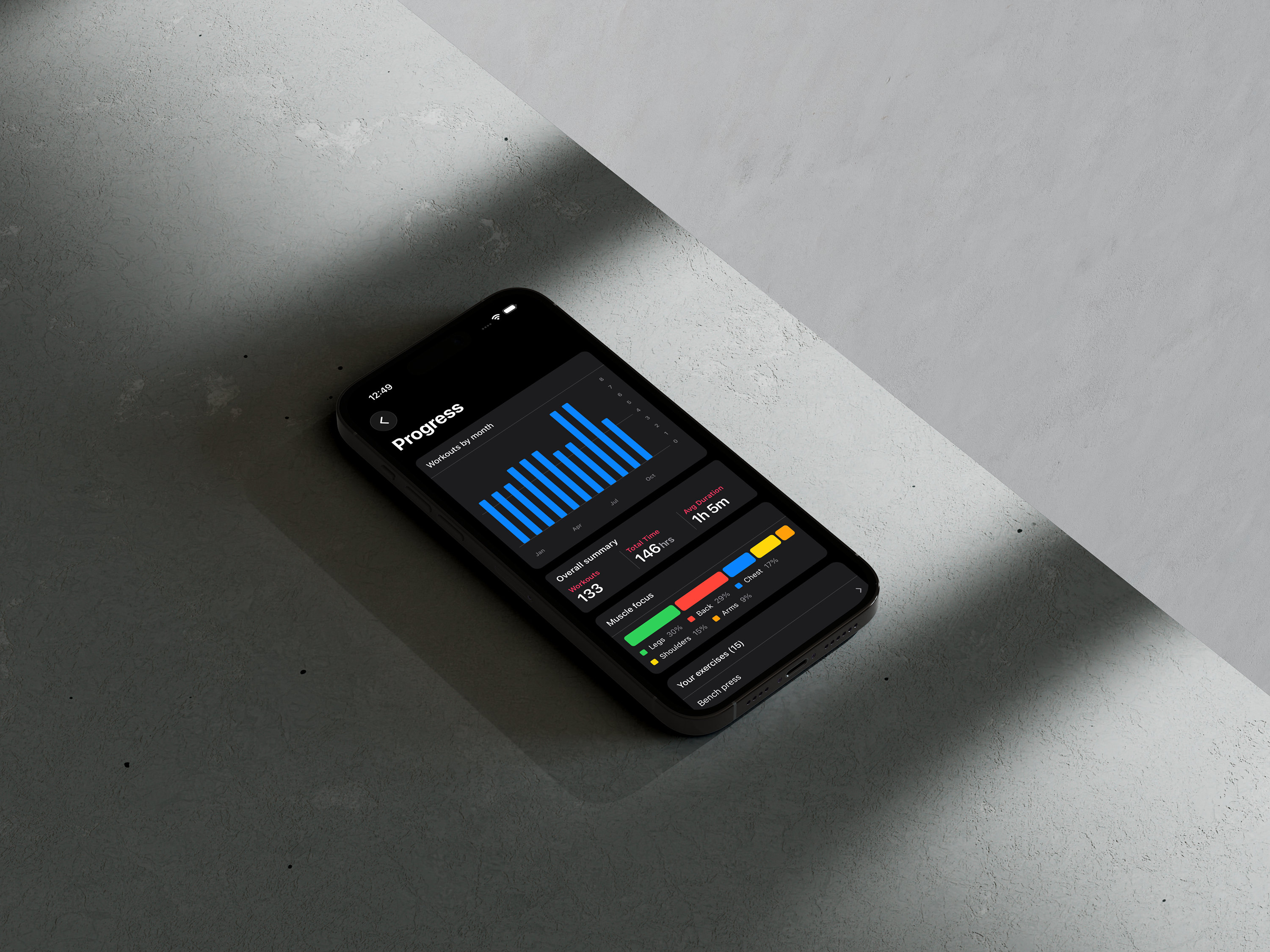
Dark Mode: Easy on the Eyes
Dark mode is ideal for early morning workouts, late-night training sessions, or anyone who prefers a darker interface. It reduces eye strain in low-light conditions and gives Reps a sleek, modern look.
Seamless Native Integration
Because Reps is a truly native mobile app, theme switching happens instantly and follows modern design guidelines perfectly. There's no lag, no weird transitions—just a smooth experience that feels right at home on your phone.
Your Choice, Your Comfort
Whether you're a morning person hitting the gym before sunrise or prefer bright, clear interfaces regardless of the time, Reps adapts to your preference. The app looks great in both modes, and all your data remains perfectly readable.
Train in comfort. Let Reps adjust to you.